
I’ve put together a quick list of things I’ve learned while playing Dressmaker. These tips cover sewing, patterns, fabrics, accessories, commissions, money, and some useful tricks that can make the early game a little easier.
Dressmaker Tips and Tricks
I make a quick little list of things I’ve learned while playing the game. Some are simple gameplay things, while others are little tricks I’ve picked up.
In settings, I turn on “Sewing Assist” to help me achieve 100% quality while sewing. I just need to go slowly around the corners. I do this by pressing S on my keyboard a few times.
Some requirements will say “max”. I just need to stay under that number, or even at 0!
I sell off-rack dresses (not commission dresses) to help make some extra money.
If I add accessories or fabric to the design page, they will be starred and moved to the top of the list when I’m cutting patterns or decorating dresses.
If I’m unable to finalize a dress, I’ve probably missed a pattern or something isn’t sewn properly.
I ignore straightening out the patterns if I want to maximise the space on the fabric. I just need to make up for the drop in quality by making sure my sewing is 100%.
I get the commission money first to create the dress. I don’t get paid after I finish it.
I make sure to always filter! Resetting it sometimes takes me out of the filtering, which is annoying, but oh well.
I don’t need to hit every mark for the requirements during the initial design. My fabrics will contribute quite a lot, while accessories don’t contribute as much.
Burlac is a free material, so I can use it to make off-rack dresses and sell them!
If I accidentally buy a lot of a material I don’t need, I can make a quick dress with it and sell it. It isn’t a commission, but I can still get my money back (and more)!
Gifting a dress increases my level with the person I gifted it to. This lets me reach the next level and unlock new patterns for my sketches!
The pigeon, once I unlock it early on, lets me invite certain characters into my store to make a dress for them.
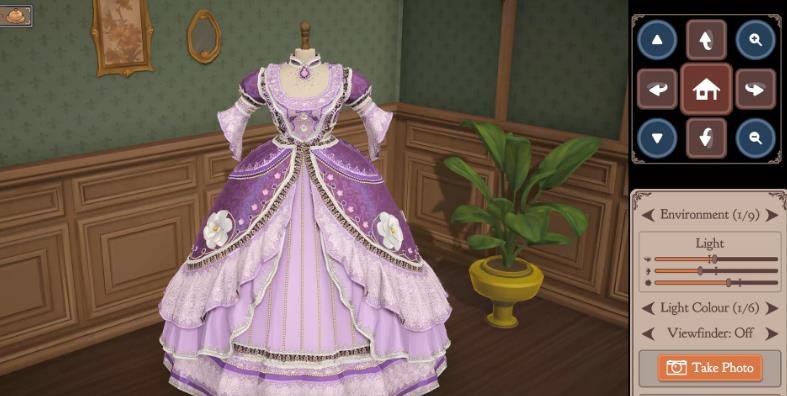
I change the mannequin colour, background, and lighting!
I recycle cut patterns if I don’t like the fabric or if I made a mistake. I just drag it from the side menu and a little option will pop up.
I need to be careful when un-sewing patterns. If I do it while putting all the parts together, I’ll have to sew it back again.
If I’m unable to un-sew something, it might be blocked by something pinned onto it.
Rather than measuring someone again, I can just load their measurements using the button underneath confirm.
In settings, I can turn on “Accessory Rotation Gizmo” to get the full X, Y, and Z rotation for more advanced decorations.
While drafting my initial idea, the yellow line is where I want to be. The dark green bar is what I will definitely have at 100%. The striped green bar means that, depending on how much of the fabric I use, the value can range from the lowest part to the highest part of the bar.
Some patterns, fabrics, and accessories can give negative values!
When choosing a pattern, fabric, or accessory, I might see golden or red bars highlighting certain traits. I want the gold and want to avoid the red! Grey means there is no impact.
I hope you enjoy the guide.